Can AI Handle Client Data? A Small Business Guide
A client texts you their new address, appointment history, or a photo of a rash and asks what to do next. You want to save time by using AI to draft a reply. But can AI handle client data without creating a privacy problem for your business? Yes, in some situations – but only when you decide what data belongs in the tool, what does not, and who is responsible for checking the result.
For a small business, the goal is not to feed your entire customer database into ChatGPT and hope for the best. The goal is to remove repetitive admin while keeping trust intact. That means using AI for the work around client information whenever possible, and using identifiable data only when you have a clear, defensible reason and the right setup.
Can AI Handle Client Data Safely?
AI can process client data. That does not automatically mean every AI tool is appropriate for every type of client data.
A general consumer AI account may use conversations differently than a business account. Settings, retention periods, training policies, and security controls can vary by provider and plan. They also change over time. Before you put real client information into any tool, read the current terms for the specific account you are using, not a summary you saw six months ago.
The practical question is not, “Is AI safe?” Nothing is safe by default. The better question is: “What is the minimum information this tool needs to do this job?”
If you are asking AI to improve the tone of an appointment reminder, it does not need a full name, medical history, address, and booking reference. It needs the message template, the appointment type, and perhaps the date and time. Strip the rest out.
That single habit prevents a lot of avoidable risk without hiring a single extra employee.
Start With a Traffic-Light Rule for Data
You do not need a legal department to make sensible first decisions. Give your team, even if the team is just you, a simple traffic-light system.
Green: Use AI Freely for General Business Work
Green data is not personal or sensitive. Think service descriptions, opening hours, product information, standard policies, promotional ideas, generic review-response templates, and anonymous sales trends.
You can ask AI to write five friendlier versions of a cancellation policy, turn a list of product features into an Instagram caption, or create a checklist for closing the store. These are high-value tasks with very little privacy exposure.
Yellow: Use Only After Removing Identifiers
Yellow data includes routine client context that can usually be anonymized. For example, “Client A missed two appointments in 60 days” or “A customer wants a refund because the product was damaged in shipping.”
Replace names, email addresses, phone numbers, order numbers, dates of birth, exact addresses, and any unusual details that could identify someone. Instead of pasting a real complaint, write: “Draft a calm response to a customer who says a $45 order arrived damaged. Offer a replacement or refund and ask for a photo of the packaging.”
You still get a usable draft. The client does not become the input.
Red: Keep It Out of General AI Tools
Red data is highly sensitive, regulated, or damaging if exposed. This can include medical records, treatment notes, diagnoses, payment card details, government ID numbers, passwords, detailed financial records, legal matters, children’s information, and private photographs.
If you run a chiropractic, wellness, or beauty business, be especially careful with health-related details. In the United States, healthcare information can trigger HIPAA obligations when you are a covered entity or business associate. Even if HIPAA does not apply to your exact business, clients still expect discretion. “It was convenient” is not a good answer if personal information ends up in the wrong place.
Do not paste this material into a general chatbot to summarize it, write notes from it, or diagnose a client. Use your approved practice-management or customer-record system, and get professional advice where regulations apply.
The Most Useful AI Work Happens Before and After Client Data
Small-business owners often assume that AI only helps if it can see everything. That is backwards. Some of the biggest time savings come from building reusable systems once, then filling in approved details in your normal software.
Use AI to create an appointment reminder template with placeholders such as [First Name], [Date], and [Time]. Create a warm post-visit follow-up that your booking platform sends automatically. Ask for ten responses to common questions about returns, parking, late arrivals, or service preparation.
For example, a beauty therapist can ask:
> Write a friendly text reminder for a 60-minute appointment. Include placeholders for first name, date, time, and location. Ask clients to give 24 hours’ notice for changes. Keep it under 300 characters.
Then add the actual client details inside the booking tool that already holds them. AI does the writing. Your approved system does the personal-data handling.
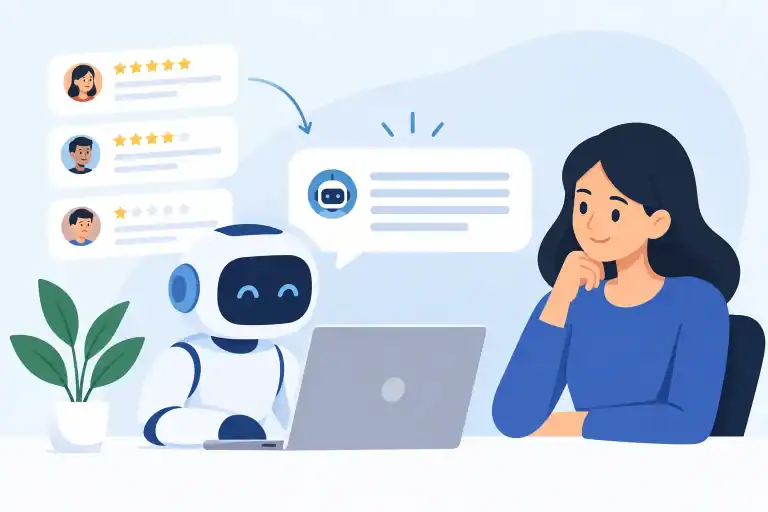
The same approach works for review replies. Give AI the wording of a positive review with names, locations, and identifiable specifics removed. Ask for three reply options in your brand voice. Check the final reply before posting it.
This is reassurance, not hype: you can save hours on communication without handing over the keys to your client records.
If You Need AI to Access Data, Check These Five Things
Some AI features are designed to work inside business platforms, customer support tools, scheduling systems, or approved company workspaces. That may be useful. It also raises the standard for your due diligence.
Before connecting a tool to your client data, check these five areas:
- Purpose: Be clear about the job. “Draft appointment replies” is a purpose. “Let it see everything just in case” is not.
- Data controls: Find out what information is sent, where it is stored, whether it can be used to train models, and whether you can delete it.
- Access: Limit access to people who need it. Use individual logins, strong passwords, and multi-factor authentication where available.
- Vendor terms: Review the provider’s current privacy terms, data-processing commitments, and any compliance documentation relevant to your industry.
- Human review: Decide who checks AI-generated replies, notes, recommendations, and actions before a client sees them.
For a solo operator, write these decisions down in a one-page policy. It can be simple: which tools you use, what data is prohibited, what must be anonymized, and when you need a human review. A policy is useful because busy days create shortcuts. The rule you write when calm is the one that protects you when the inbox is full.
Consent Helps, but It Is Not a Free Pass
Clients should understand how you use their information. If an AI-enabled tool supports your customer service, records, or marketing, your privacy notice may need to reflect that. But consent does not fix a careless process.
You still need to collect only what you need, secure it properly, and avoid using it in ways a reasonable client would not expect. A client may be comfortable receiving a text reminder. They may not be comfortable with their detailed personal message being pasted into an unvetted AI tool.
Keep your explanation plain. Tell clients what information you collect, why you use it, and how they can ask questions or update their preferences. Confusing language does not build confidence.
Watch for AI Errors, Not Just Data Leaks
Privacy is only half the issue. AI can make a reply sound polished while getting a fact wrong, inventing a policy, or giving advice you should never provide.
Never let a chatbot make medical, legal, financial, or safety decisions for a client. Do not let it promise a refund, appointment availability, price, or outcome unless you have checked that it is correct. If you automate replies, limit automation to narrow, low-risk situations such as confirming that a message was received or sending standard booking instructions.
A useful rule is this: AI can draft, sort, summarize approved information, and suggest. A person remains responsible for advice, commitments, and exceptions.
A Safer Routine You Can Use This Week
Pick one repetitive task that does not require sensitive data. Appointment reminders, overdue-invoice chasers, review responses, product announcements, and FAQ drafts are good starting points.
Build a reusable prompt that uses placeholders rather than real details. Test it with a fake client scenario. Adjust the tone until it sounds like your business, not a robot trying too hard to be cheerful. Then save the final template where you can reuse it without fumbling for words each time.
Next, make a short “never paste” list. Include passwords, payment details, full client records, health information, IDs, and anything you would be uncomfortable reading aloud in a crowded coffee shop. Keep it beside your prompt library.
AI Alchemist teaches this kind of workflow because the win is not using the flashiest tool. The win is getting your evening back while treating client trust as seriously as the service you provide.
The best use of AI with client data is often the one your client never notices: a clearer reminder, a faster response, a more organized inbox, and a business that feels attentive without becoming careless.