7 AI Tools for Client Onboarding That Save Time
A new customer has decided to trust you, and the first thing they receive is often a booking confirmation, a payment request, three forms, and silence. That is not a client experience. It is an admin pile-up. The right AI tools for client onboarding can turn that messy first 48 hours into a clear, timely welcome without hiring a single admin employee.
This is not about handing your customer relationships to a robot. It is about removing the repeat work that steals your evenings: rewriting the same welcome email, chasing signed forms, answering basic prep questions, and trying to remember who still needs a reminder. AI can handle the first draft, the routing, and the nudges. You stay responsible for the judgment and the personal touch.
Why client onboarding is where small businesses lose time
Onboarding is not one task. For a chiropractor, it may mean collecting a health history, confirming an appointment, explaining what to wear, and setting expectations for the first visit. For a beauty therapist, it can include patch-test details, deposits, aftercare, and consent forms. For a consultant, it may involve a proposal, contract, kickoff call, and access to shared files.
When you run this manually, little gaps appear. A customer books on Friday and does not receive instructions until Monday. A form goes unanswered because it got buried in your inbox. Someone arrives unsure of where to park or what they need to bring. None of these mistakes are dramatic, but they make a business feel less organized than it is.
The goal is simple: every new client gets the right information, in the right order, with minimal chasing from you.
7 AI tools for client onboarding worth using
You do not need all seven. A solo operator may get results from just a writing assistant, a form tool, and one automation. Choose tools based on the point where clients currently get stuck or where you keep repeating yourself.
1. ChatGPT for welcome emails and intake questions
ChatGPT is the fastest place to start because it helps you write the material that powers the rest of your onboarding system. Use it to draft welcome emails, appointment prep instructions, FAQ replies, follow-up reminders, and friendly explanations of your policies.
Give it real context. A vague request produces vague copy. Instead, explain your service, the customer’s likely concerns, the action you want them to take, and the tone you use. The CRAFT Method is useful here: give ChatGPT Context, a clear Role, the Action you need, the Format, and the Tone.
For example: ask it to act as a front-desk assistant for a massage practice and write a 150-word welcome email for a first-time client who has booked a 60-minute session. Ask it to include arrival time, parking guidance, what to wear, and a reassuring line for nervous clients. Then edit the result to make sure it is accurate to your business.
Do not paste sensitive health details, payment information, or private client records into a general AI chat. AI is excellent for creating the template. Your booking or CRM system should hold the actual client data.
2. Tally or Jotform for smarter intake forms
An intake form should collect what you genuinely need, not everything you might possibly ask for. Tools such as Tally and Jotform make it easier to build forms with conditional questions. If a client selects a particular service, they see only the questions that apply to that service.
AI features in form builders can help draft questions and organize a first version quickly. That saves setup time, but review every question before publishing. In health, beauty, legal, or financial services, you need to make sure wording is appropriate and that your consent language meets your professional obligations.
The bigger win is reducing form fatigue. A shorter, relevant form gets completed more often, which means fewer awkward calls asking clients to resend information.
3. Calendly for scheduling that sets expectations
Scheduling is part of onboarding, not just calendar management. Calendly can automatically send confirmation messages, reminders, and instructions before a meeting or service. Use the event description to cover basics such as location, video-call details, cancellation terms, and anything the client should prepare.
The AI angle is not that the calendar magically knows your business. It is that you can use AI to write sharper event descriptions and message sequences, then let the booking tool send them without lifting a finger.
Keep it simple. A first-appointment workflow may need a confirmation immediately after booking, a form reminder two days before, and a short practical reminder on the morning of the appointment. More messages than that can feel pushy unless the service genuinely requires preparation.
4. HubSpot for tracking the next step
When leads arrive through Instagram, email, referrals, and your website, it is easy to lose track of who has booked, who has paid, and who still needs forms. HubSpot gives you a central client record and a pipeline that shows where each person is in the journey.
Its AI features can help summarize notes, draft follow-up emails, and make records easier to search. For a lean team, the real value is visibility. You should be able to see, at a glance, that a new client is booked but has not completed intake, rather than relying on memory.
HubSpot can be more system than a very small business needs at first. If you have a handful of appointments each week and no sales pipeline, a spreadsheet plus your booking platform may be enough. Move to a CRM when missed follow-ups are becoming a regular cost, not because a software list told you to.
5. Zapier for passing information between tools
Zapier connects the apps you already use. For onboarding, that might mean a completed form creates or updates a client record, triggers a task, and sends a tailored email. It removes the copy-and-paste work between systems.
Start with one automation that solves an obvious problem. For example, when a client books a new-patient appointment, automatically send the intake form and create a reminder for yourself to review it before the visit. Test that workflow with your own email address before using it with real customers.
Automations fail when they are built too quickly. Check for duplicate records, incorrect names, and what happens if someone reschedules. A small amount of testing beats discovering a broken process after a client has been ignored.
6. Loom for personal explanations without repeat calls
Some onboarding questions are easier to show than explain. Loom lets you record a short video, either with your screen or your camera, and reuse it when the same question comes up again.
A bookkeeper could explain how to upload receipts. A consultant could show a client how to access a shared workspace. A retailer offering a specialist product could record a two-minute guide to selecting the right option. AI-generated captions and summaries make these videos easier to scan and more accessible.
Keep videos focused on one job. A three-minute welcome video that answers one common point of confusion is useful. A 20-minute tour of everything you do is usually not.
7. Notion AI for internal onboarding checklists
Clients notice when your internal process is organized. Notion AI can help turn scattered notes into a repeatable onboarding checklist for you or your team. Use it to create a standard operating procedure for what happens after a booking, payment, or signed agreement.
Your checklist might include checking the intake form, confirming payment, sending the correct prep message, adding notes to the client record, and preparing for the first appointment. Notion AI can summarize your rough process, but you should decide the actual order and ownership of each task.
This is especially useful when you are growing beyond doing everything yourself. A clear checklist protects the client experience when someone else helps with the inbox or front desk.
Build one onboarding workflow before buying more software
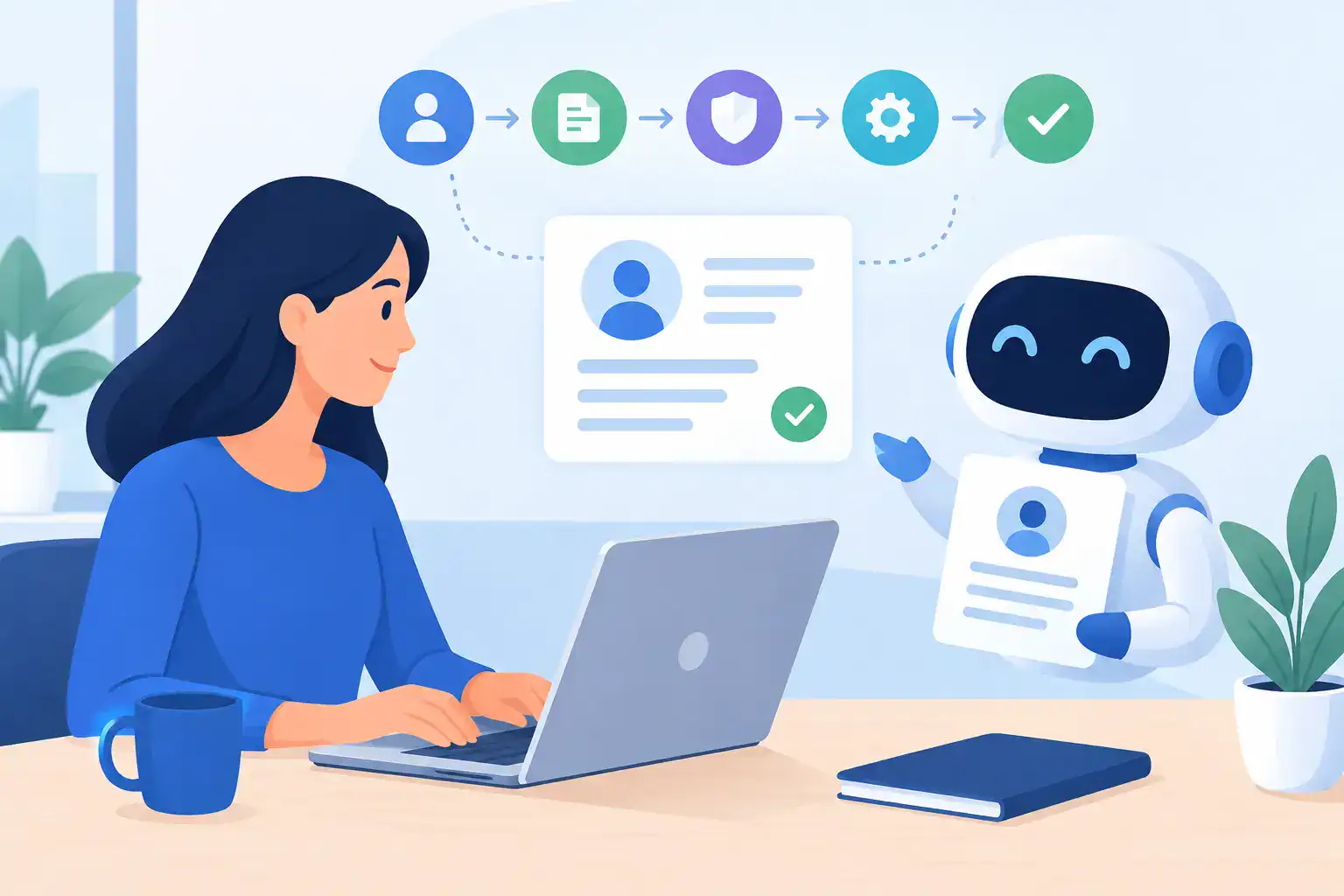
A useful setup does not begin with an app. It begins with a map of what a new client needs from the moment they say yes. Write down the journey: booking, confirmation, payment, intake, reminder, first service, and follow-up. Next to each stage, note what must happen, who currently does it, and what commonly goes wrong.
Then automate only the repeatable parts. Your booking system can send confirmations. A form tool can gather information. Zapier can move data. ChatGPT can draft the messages. You should still personally review anything sensitive, unusual, or high-value.
Make your first workflow measurable. Track how many forms are completed before appointments, how many no-shows happen, and how much time you spend chasing missing information. If the system does not reduce one of those problems, adjust it. More automation is not automatically better.
Keep privacy and trust ahead of convenience
AI should make a client feel looked after, not watched. Be careful with sensitive data, especially medical information, identification documents, card details, and confidential business plans. Use the privacy settings and data-processing options in every platform you choose, and understand what your industry requires.
Also tell clients what to expect. A message that says you will send a form, a reminder, and practical arrival details feels helpful when it arrives. The same messages can feel random if no one explained the process. Clear expectations create reassurance, not hype.
Start with the one onboarding message you write most often. Turn it into a useful template, add it to your booking flow, and test it as if you were a new client. That small change can save time this week while making your business feel more prepared from the very first interaction.